

Overview
The docker directory provides a complete containerized setup for running the Iris Crunch example locally, out of the box. It includes everything needed to simulate a full Crunch: a coordinator node, blockchain integration, model orchestration, and web interfaces. Most Coordinator actions are already integrated into the UI, allowing you to trigger the on-chain actions from the UI and furthermore giving you a live log of the on-chain activity.Quick Start
Before you begin, please follow the steps listed in the Coordinator Getting Started Prerequisites guide. Then just follow the quick start steps.Overview of the Web Interface
Leaderboard
The leaderboard lets you run predictions and view the results of the model predictions. It also gives you an overview of the registered models and the top accuracy scores.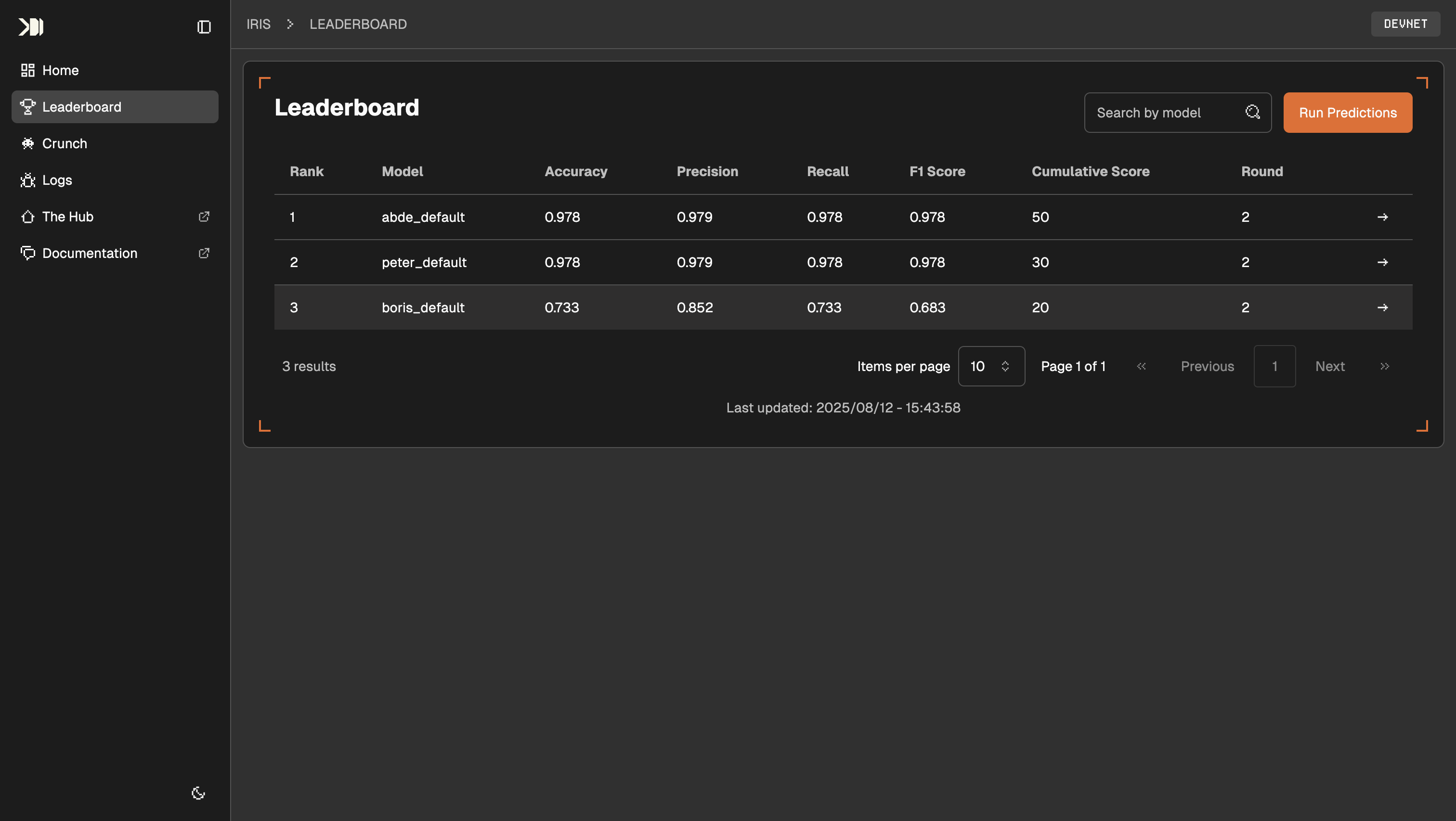
The leaderboard lets you run predictions and view the results
Crunch Demo Website
The Crunch Demo Website list and links all relevant Solana accounts, states and balances. Descriptions of the different sections and accounts are provided below. It also lets you manage the complete Crunch lifecycle within the UI. Actions taken in the UI are displayed with the corresponding CLI command in the Solana Logs section.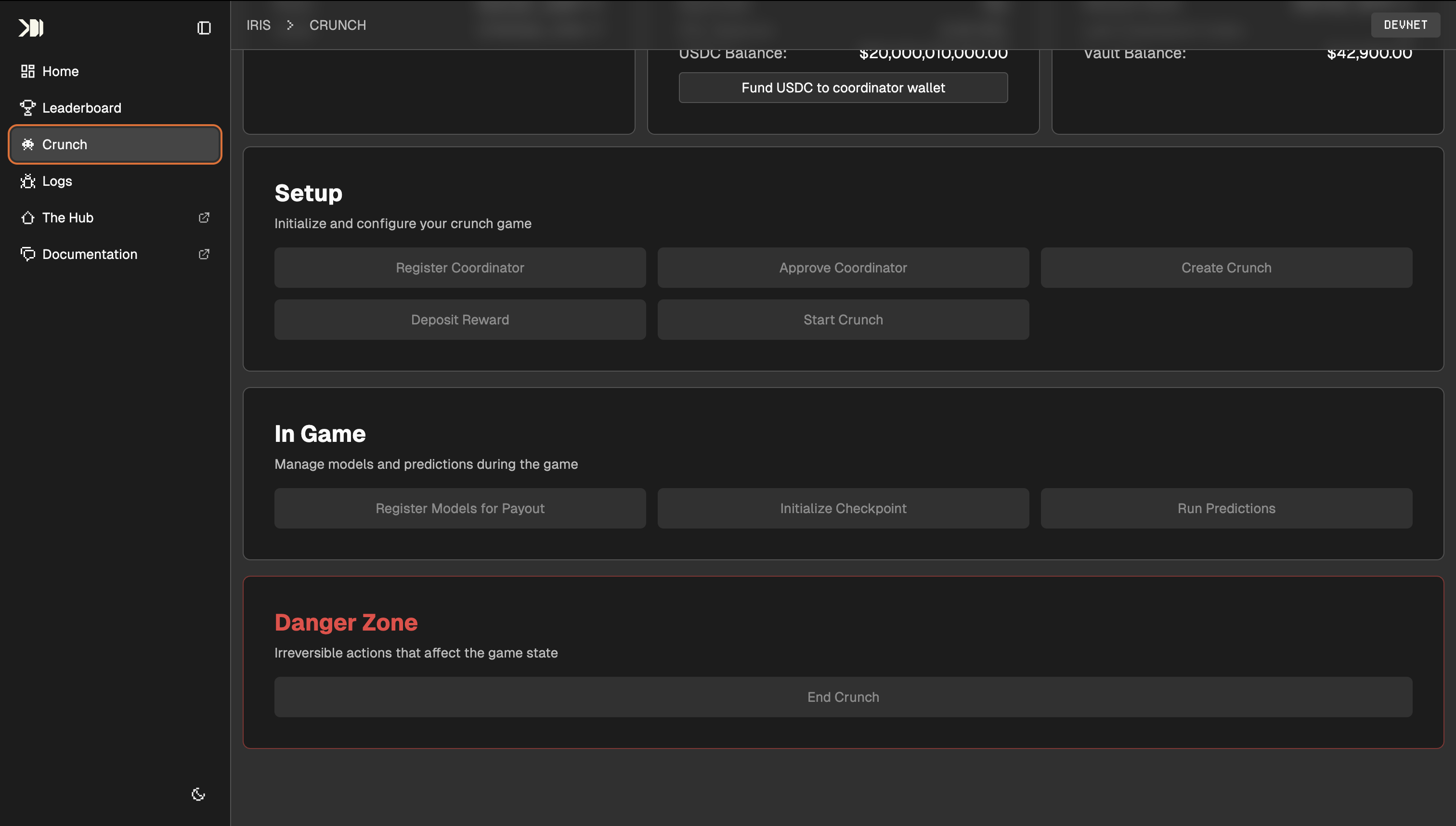
The demo website lets you manage the complete Crunch lifecycle
- Foundation: The Crunch Foundation multisig account
- Coordinator: The Coordinator account that is running the Crunch
- Boris: A Cruncher Account registered and participating in the Crunch
- Peter: A Cruncher Account registered and participating in the Crunch
- Abde: A Cruncher Account registered and participating in the Crunch
Solana Logs
Any onchain action taken in the Crunch Panel is displayed with the corresponding CLI command and the output of the command here. This will help you get a real feel for the onchain actions needed to run a Crunch.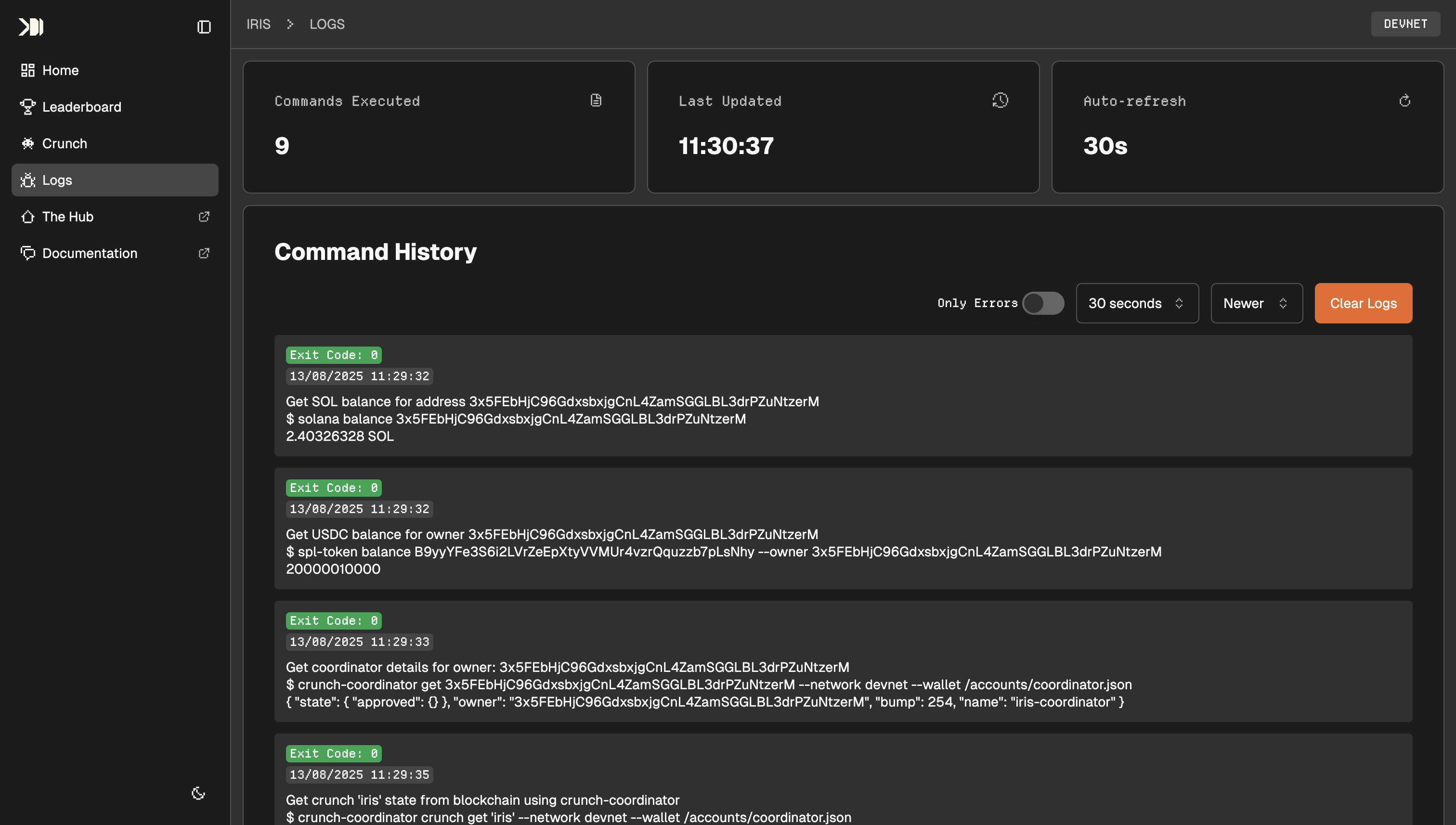
The logs of every onchain action are displayed on this page.
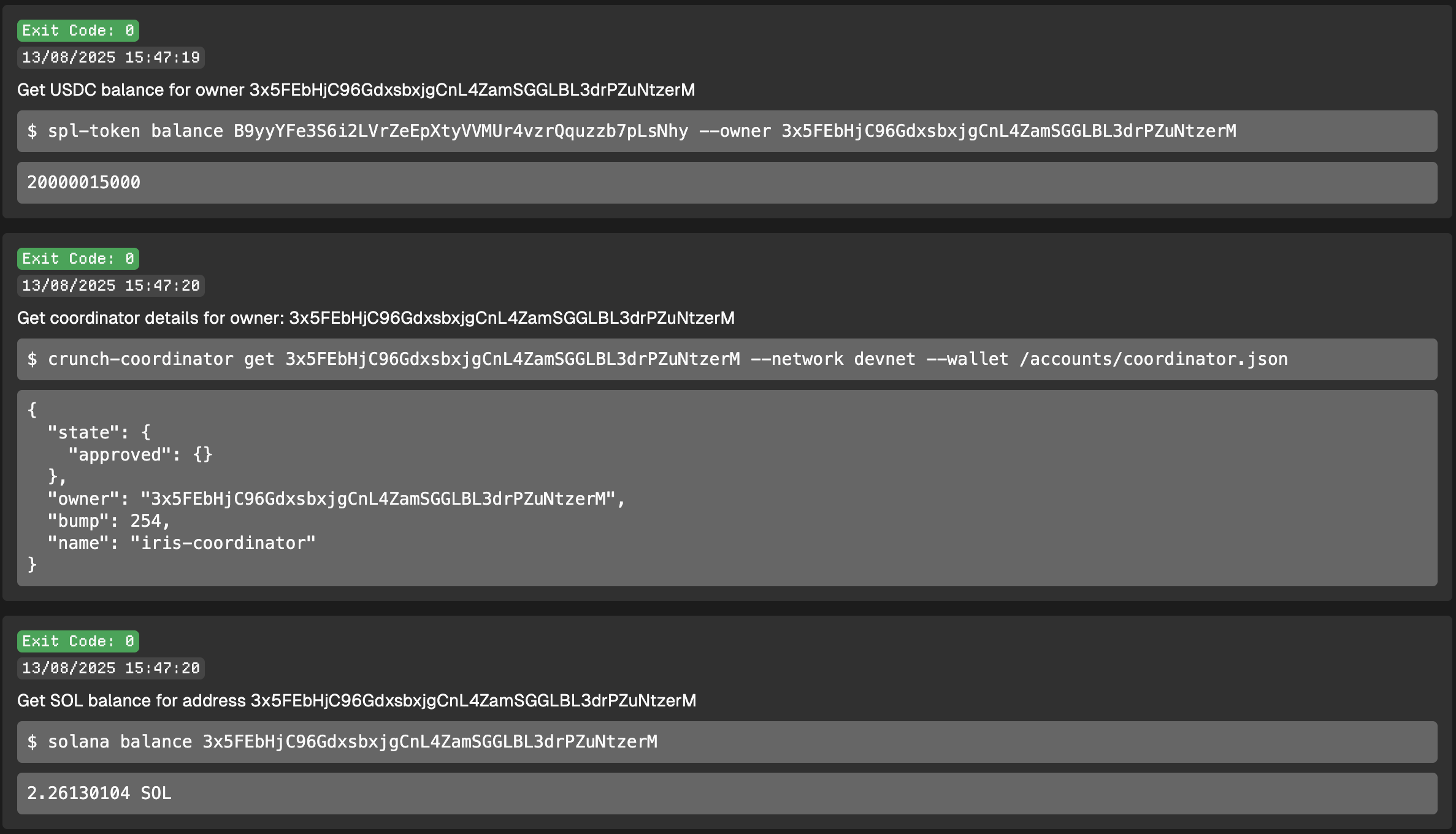
Each action taken in the Crunch Panel is displayed with the corresponding CLI command and the output of the command. In this example: checking how much USDC a Cruncher can claim.
Running the Crunch On-Chain
The next section will guide you through administering a Crunch by using Crunch Protocol and CLI’s